Error: invalid value for name (must only contain alphanumeric characters, hyphens, underscores, commas, periods, @ symbols, plus and equals signs)
Solutions : please check data type in associtaed variable block
Error: invalid value for name (must only contain alphanumeric characters, hyphens, underscores, commas, periods, @ symbols, plus and equals signs)
Solutions : please check data type in associtaed variable block
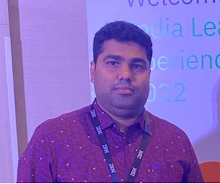 I am Anurag Pandey, working as Cloud Database Architect | Cloud Migration and Modernization Expert .Database Administration and Implementation. Provide technical guidance and work with global team. Extensive Experience in Database Installation and Configuration, Real Application Cluster (RAC), ASM, Dataguard , Patching, Upgrade, RMAN, Performance Tuning, Backup and Recovery, Azure, Google, AWS Cloud, AWS RDS, MySQL, Database Migration Service(DMS),CloudEndure - MGN, Azure Site Recovery, Azure Migrate, Datapump, terraform automation, Ansible, Audit, Email - anuragkumarjoy@gmail.com
main.tf
provider "aws" {
region = "us-east-1"
}
resource "aws_security_group" "allow_ssh" {
name = "allow_ssh_oracle_mssql_port"
description = "allow_ssh_oracle_mssql_port "
ingress {
description = "ssh-port"
from_port = 22
to_port = 22
protocol = "tcp"
cidr_blocks = [var.my_ip]
}
ingress {
description = "Oracle-port "
from_port = 1521
to_port = 1521
protocol = "tcp"
cidr_blocks = [var.my_ip]
}
ingress {
description = "MSSQL-Port"
from_port = 1433
to_port = 1433
protocol = "tcp"
cidr_blocks = [var.my_ip]
}
egress {
from_port = 0
to_port = 0
protocol = "-1"
cidr_blocks = ["0.0.0.0/0"]
#ipv6_cidr_blocks = [var.my_ip]
}
tags = {
Name = "allow_imp_port_Oracle_MSSQL_ssh"
}
}
variables.tf
variable "my_ip" {
default = "34.207.6.67/32"
}
Terraform commands
terraform init
terraform plan
terraform apply
I am Anurag Pandey, working as Cloud Database Architect | Cloud Migration and Modernization Expert .Database Administration and Implementation. Provide technical guidance and work with global team. Extensive Experience in Database Installation and Configuration, Real Application Cluster (RAC), ASM, Dataguard , Patching, Upgrade, RMAN, Performance Tuning, Backup and Recovery, Azure, Google, AWS Cloud, AWS RDS, MySQL, Database Migration Service(DMS),CloudEndure - MGN, Azure Site Recovery, Azure Migrate, Datapump, terraform automation, Ansible, Audit, Email - anuragkumarjoy@gmail.com
test_output.tf
provider "aws" {
region = "us-east-1"
}
resource "aws_eip" "eip1" {
domain = "vpc"
}
output "My_Public_ip" {
value = aws_eip.eip1.public_ip
}
Terraform commands
terraform init
terraform plan
terraform apply
I am Anurag Pandey, working as Cloud Database Architect | Cloud Migration and Modernization Expert .Database Administration and Implementation. Provide technical guidance and work with global team. Extensive Experience in Database Installation and Configuration, Real Application Cluster (RAC), ASM, Dataguard , Patching, Upgrade, RMAN, Performance Tuning, Backup and Recovery, Azure, Google, AWS Cloud, AWS RDS, MySQL, Database Migration Service(DMS),CloudEndure - MGN, Azure Site Recovery, Azure Migrate, Datapump, terraform automation, Ansible, Audit, Email - anuragkumarjoy@gmail.com
terraform {
required_providers {
github = {
source = "integrations/github"
version = "~> 5.0"
}
}
}
# Configure the GitHub Provider
provider "github" {
token = "Put-Github-Token"
}
resource "github_repository" "MyFirstRepo" {
name = "terraform-module1"
description = "This Module contain code for Start"
visibility = "public"
}
Terraform commands
terraform init
terraform plan
terraform apply
I am Anurag Pandey, working as Cloud Database Architect | Cloud Migration and Modernization Expert .Database Administration and Implementation. Provide technical guidance and work with global team. Extensive Experience in Database Installation and Configuration, Real Application Cluster (RAC), ASM, Dataguard , Patching, Upgrade, RMAN, Performance Tuning, Backup and Recovery, Azure, Google, AWS Cloud, AWS RDS, MySQL, Database Migration Service(DMS),CloudEndure - MGN, Azure Site Recovery, Azure Migrate, Datapump, terraform automation, Ansible, Audit, Email - anuragkumarjoy@gmail.com
