Thursday, August 24, 2023

"ORA-00942 : table or view does not exist. " on synonym

"ORA-00942- table or view does not exist" error you are getting , this indicate that user1 does not have privileges on the user.test table (get the details from synonyms SQL which tables are included ) .


We need to grant that required privileges 


SQL> GRANT SELECT, INSERT, UPDATE, DELETE 

     ON USER.TEST 

     TO USER1;


Note : Create dynamic sql to refersh the privelige if multiple tables and schema included 

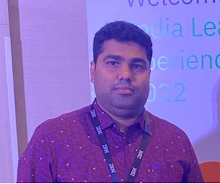
About the Author : Anurag Pandey | Database cloud Architect | Oracle | SQL Server | PostgreSQL | AI and Data Platform Enthusiast

Anurag Pandey is a Database Architect with expertise in Oracle, PostgreSQL, SQL Server, Linux, and enterprise database platforms and specializes in database architecture, performance tuning, high availability, disaster recovery, cloud modernization, and operational excellence. With extensive experience in enterprise-scale environments, Anurag is passionate about leveraging AI, automation, and modern data platforms to improve reliability, scalability, and business outcomes. He actively contributes to technical communities through knowledge sharing, architecture guidance, and thought leadership in database and data engineering domains.

Follow more articles at

Visit Blog

Wednesday, August 23, 2023

How to chnage the global name of a database in AWS oracle RDS ?


We have to login as admin user 


exceute below commands 


EXEC rdsadmin.rdsadmin_util.rename_global_name(p_new_global_name => 'new_global_name');

About the Author : Anurag Pandey | Database cloud Architect | Oracle | SQL Server | PostgreSQL | AI and Data Platform Enthusiast

Anurag Pandey is a Database Architect with expertise in Oracle, PostgreSQL, SQL Server, Linux, and enterprise database platforms and specializes in database architecture, performance tuning, high availability, disaster recovery, cloud modernization, and operational excellence. With extensive experience in enterprise-scale environments, Anurag is passionate about leveraging AI, automation, and modern data platforms to improve reliability, scalability, and business outcomes. He actively contributes to technical communities through knowledge sharing, architecture guidance, and thought leadership in database and data engineering domains.

Follow more articles at

Visit Blog

Wednesday, August 16, 2023

What is Git ?


  • Git is created by Linus Torvalds in 2005

  • Git is the distributed version control system. This stored all version properly  and documented very well 

  • Git has ability to track of changes to content and provide mechanisms for sharing the content with other in team

  • This is open-source and free software

  • Available for multiple platforms (Linux, Unix, Mac, Windows )

  • Active community and more than 70%  developer used 

About the Author : Anurag Pandey | Database cloud Architect | Oracle | SQL Server | PostgreSQL | AI and Data Platform Enthusiast

Anurag Pandey is a Database Architect with expertise in Oracle, PostgreSQL, SQL Server, Linux, and enterprise database platforms and specializes in database architecture, performance tuning, high availability, disaster recovery, cloud modernization, and operational excellence. With extensive experience in enterprise-scale environments, Anurag is passionate about leveraging AI, automation, and modern data platforms to improve reliability, scalability, and business outcomes. He actively contributes to technical communities through knowledge sharing, architecture guidance, and thought leadership in database and data engineering domains.

Follow more articles at

Visit Blog

Wednesday, August 2, 2023

remote-exec Provisioner in terraform

 ##### remote-exec Provisioner demo


resource "aws_instance" "dev-instance" {


  ami           = "ami-05548f9cecf47b442"

  instance_type = "t2.micro"

  key_name = "pgsql_key"


  connection {

    type = "ssh"

    user = "ec2-user"

    private_key = file("./pgsql_key.pem")

    host = self.public_ip


  }


  provisioner "remote-exec" {


    inline = [ 

        "sudo yum install -y mysql*"

     ]


  }


}


Note: we can use existing key or generate new key 

About the Author : Anurag Pandey | Database cloud Architect | Oracle | SQL Server | PostgreSQL | AI and Data Platform Enthusiast

Anurag Pandey is a Database Architect with expertise in Oracle, PostgreSQL, SQL Server, Linux, and enterprise database platforms and specializes in database architecture, performance tuning, high availability, disaster recovery, cloud modernization, and operational excellence. With extensive experience in enterprise-scale environments, Anurag is passionate about leveraging AI, automation, and modern data platforms to improve reliability, scalability, and business outcomes. He actively contributes to technical communities through knowledge sharing, architecture guidance, and thought leadership in database and data engineering domains.

Follow more articles at

Visit Blog

Oracle 19c to PostgreSQL 15 Migration: Step-by-Step Production Guide (Ora2Pg + DMS)

Production-oriented migration approach for a complex Oracle 19c to PostgreSQL 15 workload , covering assessment, schema and code conversion,...