Oracle Database 12c Installation on Oracle Linux 6.5 64 bit
Oracle Installation Prerequisites follow below link and make changes as per requirement :-
http://anuragkumarjoy.blogspot.com/2016/02/oracle-database-installation-on-oracle.html
Download 12.2.0 software and extract
[oracle@localhost database]$ ls -lrt
total 36
-rwxr-xr-x 1 oracle oinstall 500 Feb 7 2013 welcome.html
drwxr-xr-x 4 oracle oinstall 4096 Jan 26 2017 install
-rwxr-xr-x 1 oracle oinstall 8771 Jan 26 2017 runInstaller
drwxr-xr-x 2 oracle oinstall 4096 Jan 26 2017 rpm
drwxrwxr-x 2 oracle oinstall 4096 Jan 26 2017 sshsetup
drwxrwxr-x 2 oracle oinstall 4096 Jan 26 2017 response
drwxr-xr-x 14 oracle oinstall 4096 Jan 26 2017 stage
[oracle@localhost database]$ date
Tue Jul 24 23:37:21 IST 2018
[oracle@localhost database]$
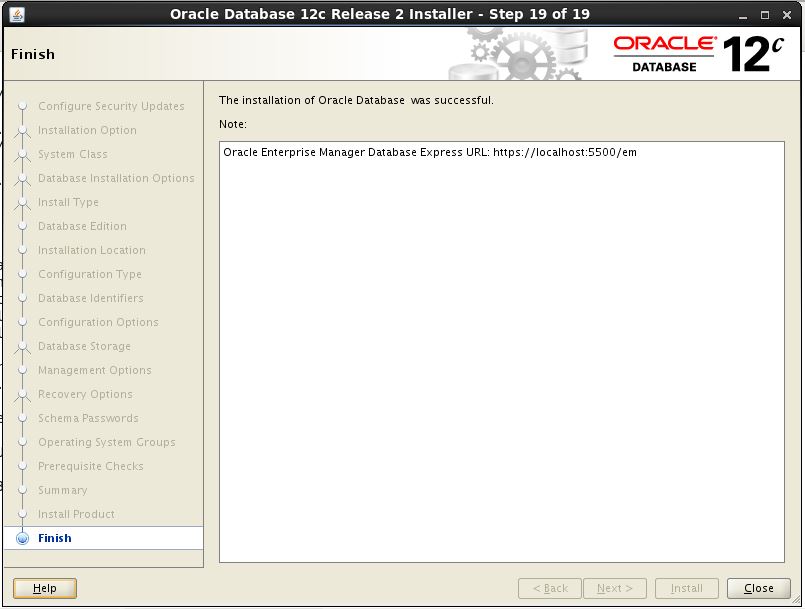
Follow below snapshot for DB installation
About the Author : Anurag Pandey | Database cloud Architect | Oracle | SQL Server | PostgreSQL | AI and Data Platform Enthusiast
Anurag Pandey is a Database Architect with expertise in Oracle, PostgreSQL, SQL Server, Linux, and enterprise database platforms and specializes in database architecture, performance tuning, high availability, disaster recovery, cloud modernization, and operational excellence. With extensive experience in enterprise-scale environments, Anurag is passionate about leveraging AI, automation, and modern data platforms to improve reliability, scalability, and business outcomes. He actively contributes to technical communities through knowledge sharing, architecture guidance, and thought leadership in database and data engineering domains.
Follow more articles at
Visit Blog
Make tar.gz file
----------------------
tar -czvf db_1.tar.gz db_1
Extract tar.gz file
--------------------
tar -xzvf archive.tar.gz
Make tar file
----------------------
tar -cvf db_1.tar db_1
Extract tar file
--------------------
tar -xvf db_1.tar
See contents under tar file
---------------------------
tar -tvf db_1.tar
-c: Create an archive.
-z: Compress the archive with gzip.
-v: Display progress in the terminal while creating the archive, also known as "verbose" mode. The v is always optional in these commands, but it's helpful.
-f: Allows you to specify the filename of the archive.
-t : Display the contents (file list) of an archive.
About the Author : Anurag Pandey | Database cloud Architect | Oracle | SQL Server | PostgreSQL | AI and Data Platform Enthusiast
Anurag Pandey is a Database Architect with expertise in Oracle, PostgreSQL, SQL Server, Linux, and enterprise database platforms and specializes in database architecture, performance tuning, high availability, disaster recovery, cloud modernization, and operational excellence. With extensive experience in enterprise-scale environments, Anurag is passionate about leveraging AI, automation, and modern data platforms to improve reliability, scalability, and business outcomes. He actively contributes to technical communities through knowledge sharing, architecture guidance, and thought leadership in database and data engineering domains.
Follow more articles at
Visit Blog