AWS DBS-C01 Exam
(AWS Certified Database Specialty)
Link :-
https://www.youtube.com/watch?v=Kv9Mn4qBE8c

Please let me know questions in comments if any.
Link :-
https://www.youtube.com/watch?v=Kv9Mn4qBE8c
Please let me know questions in comments if any.
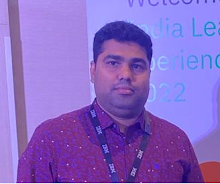 I am Anurag Pandey, working as Cloud Database Architect | Cloud Migration and Modernization Expert .Database Administration and Implementation. Provide technical guidance and work with global team. Extensive Experience in Database Installation and Configuration, Real Application Cluster (RAC), ASM, Dataguard , Patching, Upgrade, RMAN, Performance Tuning, Backup and Recovery, Azure, Google, AWS Cloud, AWS RDS, MySQL, Database Migration Service(DMS),CloudEndure - MGN, Azure Site Recovery, Azure Migrate, Datapump, terraform automation, Ansible, Audit, Email - anuragkumarjoy@gmail.com
ifconfig - bash: ifconfig: command not found error in Linux
[oracle@ip-10.22.3333.2222 ~]$
[oracle@ip-10.22.3333.2222 ~]$ ifconfig
bash: ifconfig: command not found
[oracle@ip-10.22.3333.2222 ~]$
[oracle@ip-10.22.3333.2222 ~]$
[oracle@ip-10.22.3333.2222 ~]$
[oracle@ip-10.22.3333.2222 ~]$
[oracle@ip-10.22.3333.2222 ~]$
Login as root user:
[oracle@ip-10.22.3333.2222 ~]$ su - root
Password:
There were 243 failed login attempts since the last successful login.
[root@ip-10.22.3333.2222 ~]#
[root@ip-10.22.3333.2222 ~]#
[root@ip-10.22.3333.2222 ~]#
Install net-tools package :
[root@ip-10.22.3333.2222 ~]# dnf install net-tools
Updating Subscription Management repositories.
Unable to read consumer identity
This system is not registered with an entitlement server. You can use subscription-manager to register.
Red Hat Enterprise Linux 8 for x86_64 - AppStream from RHUI (RPMs) 31 kB/s | 4.5 kB 00:00
Red Hat Enterprise Linux 8 for x86_64 - AppStream from RHUI (RPMs) 63 MB/s | 52 MB 00:00
Red Hat Enterprise Linux 8 for x86_64 - BaseOS from RHUI (RPMs) 116 kB/s | 4.1 kB 00:00
Red Hat Enterprise Linux 8 for x86_64 - BaseOS from RHUI (RPMs) 67 MB/s | 56 MB 00:00
Red Hat Ansible Engine 2 for RHEL 8 (RPMs) from RHUI 98 kB/s | 4.0 kB 00:00
Red Hat Update Infrastructure 3 Client Configuration Server 8 68 kB/s | 2.0 kB 00:00
Dependencies resolved.
==============================================================================================================================================
Package Architecture Version Repository Size
==============================================================================================================================================
Installing:
net-tools x86_64 2.0-0.52.20160912git.el8 rhel-8-baseos-rhui-rpms 322 k
Transaction Summary
==============================================================================================================================================
Install 1 Package
Total download size: 322 k
Installed size: 942 k
Is this ok [y/N]: y
Downloading Packages:
net-tools-2.0-0.52.20160912git.el8.x86_64.rpm 8.0 MB/s | 322 kB 00:00
----------------------------------------------------------------------------------------------------------------------------------------------
Total 5.7 MB/s | 322 kB 00:00
Running transaction check
Transaction check succeeded.
Running transaction test
Transaction test succeeded.
Running transaction
Preparing : 1/1
Installing : net-tools-2.0-0.52.20160912git.el8.x86_64 1/1
Running scriptlet: net-tools-2.0-0.52.20160912git.el8.x86_64 1/1
Verifying : net-tools-2.0-0.52.20160912git.el8.x86_64 1/1
Installed products updated.
Installed:
net-tools-2.0-0.52.20160912git.el8.x86_64
Complete!
[root@ip-10.22.3333.2222 ~]#
[root@ip-10.22.3333.2222 ~]#
[root@ip-10.22.3333.2222 ~]#
Run ifconfig command :
[root@ip-10.22.3333.2222 ~]# ifconfig
eth0: flags=4163<UP,BROADCAST,RUNNING,MULTICAST> mtu 9001
inet 10.22.3333.2222 netmask 255.255.240.0 broadcast 10.22.3333.255
inet6 fe80::82c:94ff:fe4a:1c13 prefixlen 64 scopeid 0x20<link>
ether 0a:2c:94:4a:1c:13 txqueuelen 1000 (Ethernet)
RX packets 80039 bytes 118266327 (112.7 MiB)
RX errors 0 dropped 0 overruns 0 frame 0
TX packets 17828 bytes 1499744 (1.4 MiB)
TX errors 0 dropped 0 overruns 0 carrier 0 collisions 0
lo: flags=73<UP,LOOPBACK,RUNNING> mtu 65536
inet 127.0.0.1 netmask 255.0.0.0
inet6 ::1 prefixlen 128 scopeid 0x10<host>
loop txqueuelen 1000 (Local Loopback)
RX packets 0 bytes 0 (0.0 B)
RX errors 0 dropped 0 overruns 0 frame 0
TX packets 0 bytes 0 (0.0 B)
TX errors 0 dropped 0 overruns 0 carrier 0 collisions 0
[root@ip-10.22.3333.2222 ~]#
[root@ip-10.22.3333.2222 ~]#
[root@ip-10.22.3333.2222 ~]#
[root@ip-10.22.3333.2222 ~]# exit
logout
[oracle@ip-10.22.3333.2222 ~]$
[oracle@ip-10.22.3333.2222 ~]$
[oracle@ip-10.22.3333.2222 ~]$ ifconfig
eth0: flags=4163<UP,BROADCAST,RUNNING,MULTICAST> mtu 9001
inet 10.22.3333.2222 netmask 255.255.240.0 broadcast 10.22.3333.255
inet6 fe80::82c:94ff:fe4a:1c13 prefixlen 64 scopeid 0x20<link>
ether 0a:2c:94:4a:1c:13 txqueuelen 1000 (Ethernet)
RX packets 80076 bytes 118268659 (112.7 MiB)
RX errors 0 dropped 0 overruns 0 frame 0
TX packets 17857 bytes 1503186 (1.4 MiB)
TX errors 0 dropped 0 overruns 0 carrier 0 collisions 0
lo: flags=73<UP,LOOPBACK,RUNNING> mtu 65536
inet 127.0.0.1 netmask 255.0.0.0
inet6 ::1 prefixlen 128 scopeid 0x10<host>
loop txqueuelen 1000 (Local Loopback)
RX packets 0 bytes 0 (0.0 B)
RX errors 0 dropped 0 overruns 0 frame 0
TX packets 0 bytes 0 (0.0 B)
TX errors 0 dropped 0 overruns 0 carrier 0 collisions 0
[oracle@ip-10.22.3333.2222 ~]$
[oracle@ip-10.22.3333.2222 ~]$
[oracle@ip-10.22.3333.2222 ~]$
[oracle@ip-10.22.3333.2222 ~]$
I am Anurag Pandey, working as Cloud Database Architect | Cloud Migration and Modernization Expert .Database Administration and Implementation. Provide technical guidance and work with global team. Extensive Experience in Database Installation and Configuration, Real Application Cluster (RAC), ASM, Dataguard , Patching, Upgrade, RMAN, Performance Tuning, Backup and Recovery, Azure, Google, AWS Cloud, AWS RDS, MySQL, Database Migration Service(DMS),CloudEndure - MGN, Azure Site Recovery, Azure Migrate, Datapump, terraform automation, Ansible, Audit, Email - anuragkumarjoy@gmail.com
I am Anurag Pandey, working as Cloud Database Architect | Cloud Migration and Modernization Expert .Database Administration and Implementation. Provide technical guidance and work with global team. Extensive Experience in Database Installation and Configuration, Real Application Cluster (RAC), ASM, Dataguard , Patching, Upgrade, RMAN, Performance Tuning, Backup and Recovery, Azure, Google, AWS Cloud, AWS RDS, MySQL, Database Migration Service(DMS),CloudEndure - MGN, Azure Site Recovery, Azure Migrate, Datapump, terraform automation, Ansible, Audit, Email - anuragkumarjoy@gmail.com
