Friday, February 10, 2023

How to Pass AWS Certified Database Specialty : AWS DBS-C01 ?

 AWS DBS-C01 Exam

                                                         (AWS Certified Database Specialty)


Link :-

https://www.youtube.com/watch?v=Kv9Mn4qBE8c


Please let me know questions in comments  if any. 
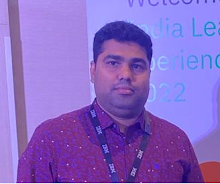


About the Author : Anurag Pandey | Database cloud Architect | Oracle | SQL Server | PostgreSQL | AI and Data Platform Enthusiast

Anurag Pandey is a Database Architect with expertise in Oracle, PostgreSQL, SQL Server, Linux, and enterprise database platforms and specializes in database architecture, performance tuning, high availability, disaster recovery, cloud modernization, and operational excellence. With extensive experience in enterprise-scale environments, Anurag is passionate about leveraging AI, automation, and modern data platforms to improve reliability, scalability, and business outcomes. He actively contributes to technical communities through knowledge sharing, architecture guidance, and thought leadership in database and data engineering domains.

Follow more articles at

Visit Blog

Tuesday, January 31, 2023

How to Fix ifconfig - command not found Error in Linux

ifconfig - bash: ifconfig: command not found error in Linux


[oracle@ip-10.22.3333.2222 ~]$

[oracle@ip-10.22.3333.2222 ~]$ ifconfig

bash: ifconfig: command not found

[oracle@ip-10.22.3333.2222 ~]$

[oracle@ip-10.22.3333.2222 ~]$

[oracle@ip-10.22.3333.2222 ~]$

[oracle@ip-10.22.3333.2222 ~]$

[oracle@ip-10.22.3333.2222 ~]$


Login as root user:

[oracle@ip-10.22.3333.2222 ~]$ su - root

Password:

There were 243 failed login attempts since the last successful login.

[root@ip-10.22.3333.2222 ~]#

[root@ip-10.22.3333.2222 ~]#

[root@ip-10.22.3333.2222 ~]#


Install net-tools package :

[root@ip-10.22.3333.2222 ~]# dnf install net-tools

Updating Subscription Management repositories.

Unable to read consumer identity


This system is not registered with an entitlement server. You can use subscription-manager to register.


Red Hat Enterprise Linux 8 for x86_64 - AppStream from RHUI (RPMs)                                             31 kB/s | 4.5 kB     00:00

Red Hat Enterprise Linux 8 for x86_64 - AppStream from RHUI (RPMs)                                             63 MB/s |  52 MB     00:00

Red Hat Enterprise Linux 8 for x86_64 - BaseOS from RHUI (RPMs)                                               116 kB/s | 4.1 kB     00:00

Red Hat Enterprise Linux 8 for x86_64 - BaseOS from RHUI (RPMs)                                                67 MB/s |  56 MB     00:00

Red Hat Ansible Engine 2 for RHEL 8 (RPMs) from RHUI                                                           98 kB/s | 4.0 kB     00:00

Red Hat Update Infrastructure 3 Client Configuration Server 8                                                  68 kB/s | 2.0 kB     00:00

Dependencies resolved.

==============================================================================================================================================

 Package                    Architecture            Version                                    Repository                                Size

==============================================================================================================================================

Installing:

 net-tools                  x86_64                  2.0-0.52.20160912git.el8                   rhel-8-baseos-rhui-rpms                  322 k


Transaction Summary

==============================================================================================================================================

Install  1 Package


Total download size: 322 k

Installed size: 942 k

Is this ok [y/N]: y

Downloading Packages:

net-tools-2.0-0.52.20160912git.el8.x86_64.rpm                                                                 8.0 MB/s | 322 kB     00:00

----------------------------------------------------------------------------------------------------------------------------------------------

Total                                                                                                         5.7 MB/s | 322 kB     00:00

Running transaction check

Transaction check succeeded.

Running transaction test

Transaction test succeeded.

Running transaction

  Preparing        :                                                                                                                      1/1

  Installing       : net-tools-2.0-0.52.20160912git.el8.x86_64                                                                            1/1

  Running scriptlet: net-tools-2.0-0.52.20160912git.el8.x86_64                                                                            1/1

  Verifying        : net-tools-2.0-0.52.20160912git.el8.x86_64                                                                            1/1

Installed products updated.


Installed:

  net-tools-2.0-0.52.20160912git.el8.x86_64


Complete!

[root@ip-10.22.3333.2222 ~]#

[root@ip-10.22.3333.2222 ~]#

[root@ip-10.22.3333.2222 ~]#


Run ifconfig command :

[root@ip-10.22.3333.2222 ~]# ifconfig

eth0: flags=4163<UP,BROADCAST,RUNNING,MULTICAST>  mtu 9001

        inet 10.22.3333.2222  netmask 255.255.240.0  broadcast 10.22.3333.255

        inet6 fe80::82c:94ff:fe4a:1c13  prefixlen 64  scopeid 0x20<link>

        ether 0a:2c:94:4a:1c:13  txqueuelen 1000  (Ethernet)

        RX packets 80039  bytes 118266327 (112.7 MiB)

        RX errors 0  dropped 0  overruns 0  frame 0

        TX packets 17828  bytes 1499744 (1.4 MiB)

        TX errors 0  dropped 0 overruns 0  carrier 0  collisions 0


lo: flags=73<UP,LOOPBACK,RUNNING>  mtu 65536

        inet 127.0.0.1  netmask 255.0.0.0

        inet6 ::1  prefixlen 128  scopeid 0x10<host>

        loop  txqueuelen 1000  (Local Loopback)

        RX packets 0  bytes 0 (0.0 B)

        RX errors 0  dropped 0  overruns 0  frame 0

        TX packets 0  bytes 0 (0.0 B)

        TX errors 0  dropped 0 overruns 0  carrier 0  collisions 0


[root@ip-10.22.3333.2222 ~]#

[root@ip-10.22.3333.2222 ~]#

[root@ip-10.22.3333.2222 ~]#

[root@ip-10.22.3333.2222 ~]# exit

logout

[oracle@ip-10.22.3333.2222 ~]$

[oracle@ip-10.22.3333.2222 ~]$

[oracle@ip-10.22.3333.2222 ~]$ ifconfig

eth0: flags=4163<UP,BROADCAST,RUNNING,MULTICAST>  mtu 9001

        inet 10.22.3333.2222  netmask 255.255.240.0  broadcast 10.22.3333.255

        inet6 fe80::82c:94ff:fe4a:1c13  prefixlen 64  scopeid 0x20<link>

        ether 0a:2c:94:4a:1c:13  txqueuelen 1000  (Ethernet)

        RX packets 80076  bytes 118268659 (112.7 MiB)

        RX errors 0  dropped 0  overruns 0  frame 0

        TX packets 17857  bytes 1503186 (1.4 MiB)

        TX errors 0  dropped 0 overruns 0  carrier 0  collisions 0


lo: flags=73<UP,LOOPBACK,RUNNING>  mtu 65536

        inet 127.0.0.1  netmask 255.0.0.0

        inet6 ::1  prefixlen 128  scopeid 0x10<host>

        loop  txqueuelen 1000  (Local Loopback)

        RX packets 0  bytes 0 (0.0 B)

        RX errors 0  dropped 0  overruns 0  frame 0

        TX packets 0  bytes 0 (0.0 B)

        TX errors 0  dropped 0 overruns 0  carrier 0  collisions 0


[oracle@ip-10.22.3333.2222 ~]$

[oracle@ip-10.22.3333.2222 ~]$

[oracle@ip-10.22.3333.2222 ~]$

[oracle@ip-10.22.3333.2222 ~]$

About the Author : Anurag Pandey | Database cloud Architect | Oracle | SQL Server | PostgreSQL | AI and Data Platform Enthusiast

Anurag Pandey is a Database Architect with expertise in Oracle, PostgreSQL, SQL Server, Linux, and enterprise database platforms and specializes in database architecture, performance tuning, high availability, disaster recovery, cloud modernization, and operational excellence. With extensive experience in enterprise-scale environments, Anurag is passionate about leveraging AI, automation, and modern data platforms to improve reliability, scalability, and business outcomes. He actively contributes to technical communities through knowledge sharing, architecture guidance, and thought leadership in database and data engineering domains.

Follow more articles at

Visit Blog

Tuesday, January 17, 2023

Step by Step Configuration Of Data Guard Broker in Oracle database 19c

 Data Guard Broker Configuration in oracle


Listener configuration on primary

      (SID_DESC =
      (GLOBAL_DBNAME = ddb_dgmgrl)
      (ORACLE_HOME = /u01/app/oracle/product/19.0/dbhome1)
      (SID_NAME = ddb)
    )


LISTENER =
  (DESCRIPTION_LIST =
    (DESCRIPTION =
      (ADDRESS = (PROTOCOL = TCP)(HOST = 172.31.19.40)(PORT = 1521))
          (ADDRESS = (PROTOCOL = IPC)(KEY = EXTPROC))
    )
  )

SID_LIST_LISTENER =
  (SID_LIST =
    (SID_DESC =
      (GLOBAL_DBNAME = ddb)
      (ORACLE_HOME = /u01/app/oracle/product/19.0/dbhome1)
      (SID_NAME = ddb)
    )
   (SID_DESC =
      (GLOBAL_DBNAME = ddb_dgmgrl)
      (ORACLE_HOME = /u01/app/oracle/product/19.0/dbhome1)
      (SID_NAME = ddb)
    )
  )


Listener configuration on standby 

      (SID_DESC =
      (GLOBAL_DBNAME = ddb_dr_dgmgrl)
      (ORACLE_HOME = /u01/app/oracle/product/19.0.0/dbhome_1)
      (SID_NAME = ddb_dr)
    )
LISTENER =
  (DESCRIPTION_LIST =
    (DESCRIPTION =
      (ADDRESS = (PROTOCOL = TCP)(HOST = 10.13.0.4)(PORT = 1521))
          (ADDRESS = (PROTOCOL = IPC)(KEY = EXTPROC1521))
    )
  )

SID_LIST_LISTENER =
  (SID_LIST =
    (SID_DESC =
      (GLOBAL_DBNAME = ddb_dr)
      (ORACLE_HOME = /u01/app/oracle/product/19.0.0/dbhome_1)
      (SID_NAME = ddb_dr)
    )
  (SID_DESC =
      (GLOBAL_DBNAME = ddb_dr_dgmgrl)
      (ORACLE_HOME = /u01/app/oracle/product/19.0.0/dbhome_1)
      (SID_NAME = ddb_dr)
    )
  )


tnsnames.ora  on primary and standby 


DDB =
  (DESCRIPTION =
    (ADDRESS = (PROTOCOL = TCP)(HOST = wes-4-92-00-112.compute-1.amazonaws.com )(PORT = 1521))
    (CONNECT_DATA =
      (SERVER = DEDICATED)
      (SERVICE_NAME = ddb)
    )
  )


DDB_DR =
  (DESCRIPTION =
    (ADDRESS = (PROTOCOL = TCP)(HOST = 92.100.100.922 )(PORT = 1521))
    (CONNECT_DATA =
      (SERVER = DEDICATED)
      (SERVICE_NAME = ddb_dr)
    )
  )


On standby database:

SQL> alter database recover managed standby database cancel;
SQL> alter system set LOG_ARCHIVE_DEST_2='' SCOPE=BOTH sid='*';

On primary database:

SQL> alter system set LOG_ARCHIVE_DEST_2='' SCOPE=BOTH sid='*';


Enable broker on primary and  standby database


alter system set dg_broker_start=true;

show parameter dg_broker_start


Register primary  database with broker


create configuration prod_ddb as primary database is ddb connect identifier is ddb;


[oracle@10.22.3333.2222 admin]$
[oracle@10.22.3333.2222 admin]$
[oracle@10.22.3333.2222 admin]$ dgmgrl sys/Rdx1234567890@ddb
DGMGRL for Linux: Release 19.0.0.0.0 - Production on Sat Jan 14 15:02:21 2023
Version 19.3.0.0.0

Copyright (c) 1982, 2019, Oracle and/or its affiliates.  All rights reserved.

Welcome to DGMGRL, type "help" for information.
Connected to "ddb"
Connected as SYSDBA.
DGMGRL>
DGMGRL>
DGMGRL> create configuration prod_ddb as primary database is ddb connect identifier is ddb;
Configuration "prod_ddb" created with primary database "ddb"
DGMGRL>
DGMGRL> show configuration;

Configuration - prod_ddb

  Protection Mode: MaxPerformance
  Members:
  ddb - Primary database

Fast-Start Failover:  Disabled

Configuration Status:
DISABLED

DGMGRL>


Register standby database with broker

add database ddb_dr as connect identifier is ddb_dr;


DGMGRL> add database ddb_dr as connect identifier is ddb_dr;
Database "ddb_dr" added
DGMGRL>
DGMGRL> show configuration;

Configuration - prod_ddb

  Protection Mode: MaxPerformance
  Members:
  ddb    - Primary database
    ddb_dr - Physical standby database

Fast-Start Failover:  Disabled

Configuration Status:
DISABLED

DGMGRL>


Enable Data Guard broker


DGMGRL>
DGMGRL>
DGMGRL> enable configuration;
Enabled.
DGMGRL>


DGMGRL> show configuration;

Configuration - prod_ddb

  Protection Mode: MaxPerformance
  Members:
  ddb    - Primary database
    ddb_dr - Physical standby database
      Warning: ORA-16853: apply lag has exceeded specified threshold

Fast-Start Failover:  Disabled

Configuration Status:
WARNING   (status updated 16 seconds ago)

DGMGRL>


DGMGRL>
DGMGRL>
DGMGRL>
DGMGRL> show database ddb

Database - ddb

  Role:               PRIMARY
  Intended State:     TRANSPORT-ON
  Instance(s):
    ddb

Database Status:
SUCCESS

DGMGRL> show database ddb_dr

Database - ddb_dr

  Role:               PHYSICAL STANDBY
  Intended State:     APPLY-ON
  Transport Lag:      0 seconds (computed 0 seconds ago)
  Apply Lag:          0 seconds (computed 0 seconds ago)
  Average Apply Rate: 55.00 KByte/s
  Real Time Query:    OFF
  Instance(s):
    ddb_dr

Database Status:
SUCCESS

DGMGRL>
DGMGRL>
DGMGRL>

About the Author : Anurag Pandey | Database cloud Architect | Oracle | SQL Server | PostgreSQL | AI and Data Platform Enthusiast

Anurag Pandey is a Database Architect with expertise in Oracle, PostgreSQL, SQL Server, Linux, and enterprise database platforms and specializes in database architecture, performance tuning, high availability, disaster recovery, cloud modernization, and operational excellence. With extensive experience in enterprise-scale environments, Anurag is passionate about leveraging AI, automation, and modern data platforms to improve reliability, scalability, and business outcomes. He actively contributes to technical communities through knowledge sharing, architecture guidance, and thought leadership in database and data engineering domains.

Follow more articles at

Visit Blog

Oracle RAC vs RAC One Node

Oracle RAC One Node is best understood as Oracle RAC infrastructure with only one active database instance at a time , plus the ability to r...